macOS
Apple silicon and Intel
Two apps, one account. Get-Run Harness gets tasks done on your computer; GetSwitch connects the AI tools you already use to Get-Run.AI.
Detecting your device…
Install Get-Run Harness for your device, then use the button below to reopen this plugin in the app.
community-agentrq-agentrqGet-Run Harness will show the plugin details and ask for confirmation before installing.
 Get-Run Harness
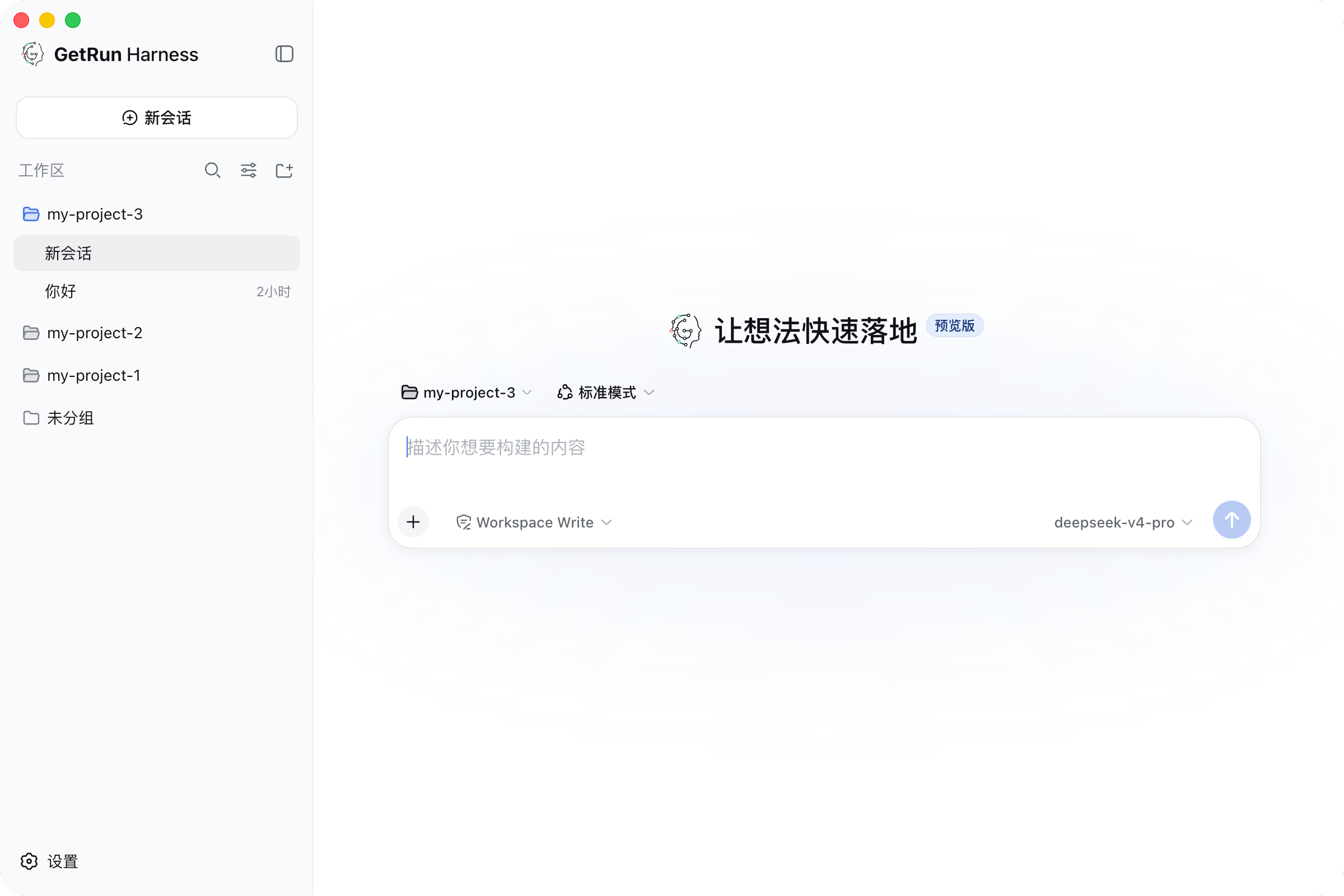
Describe the result you want, and let it do the work on your desktop.
A desktop agent for code, document and image tasks. Multiple projects and sessions, computer and browser control, MCP and Skills, plus DeepSeek, GLM, Kimi and local models.
Apple silicon and Intel

x64
x64

Connect to your computer remotely
The Windows installer uses a self-signed certificate and may show a security warning. Verify the publisher and download source before installing. Download signing certificate
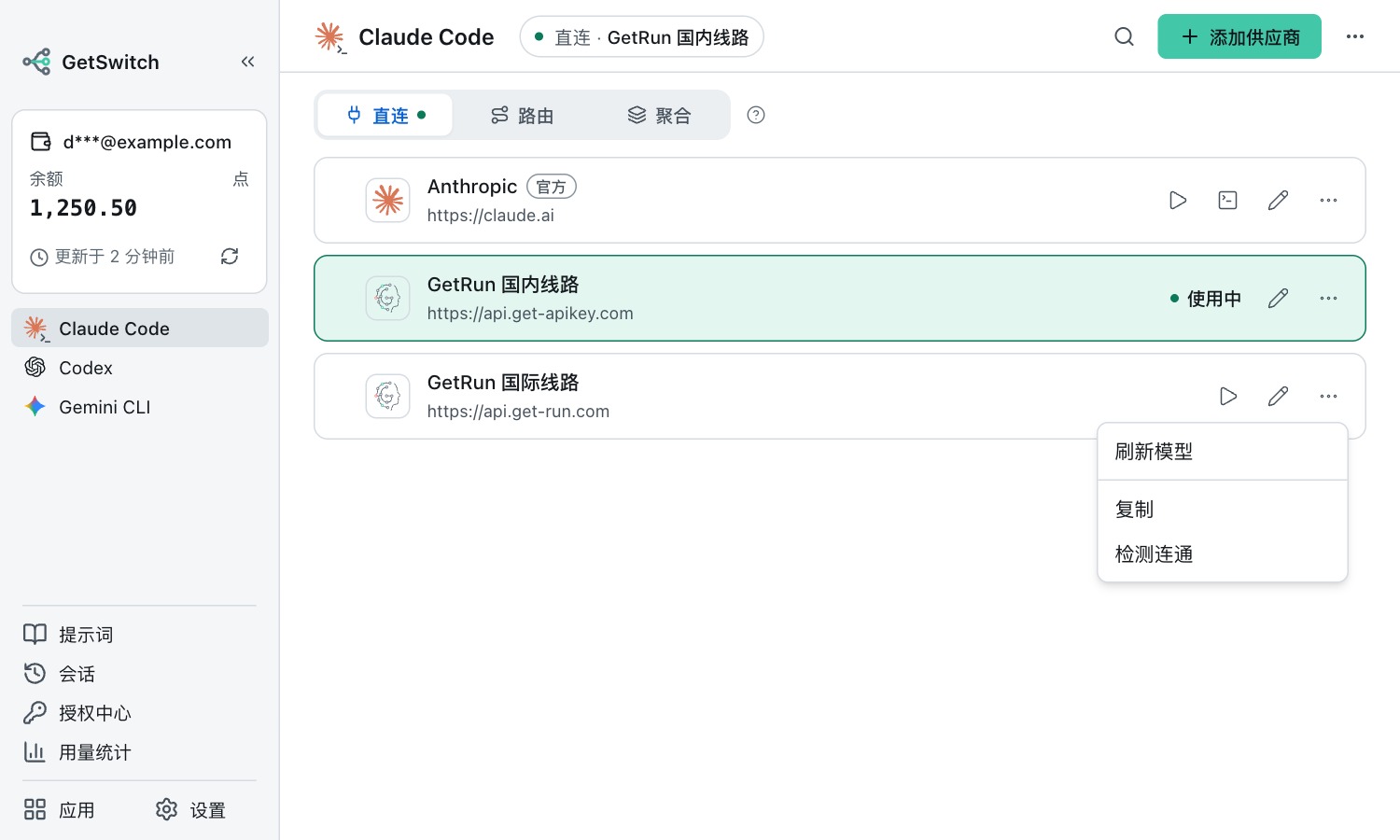
 GetSwitch
Switch the AI tools you already use to Get-Run.AI in one click.
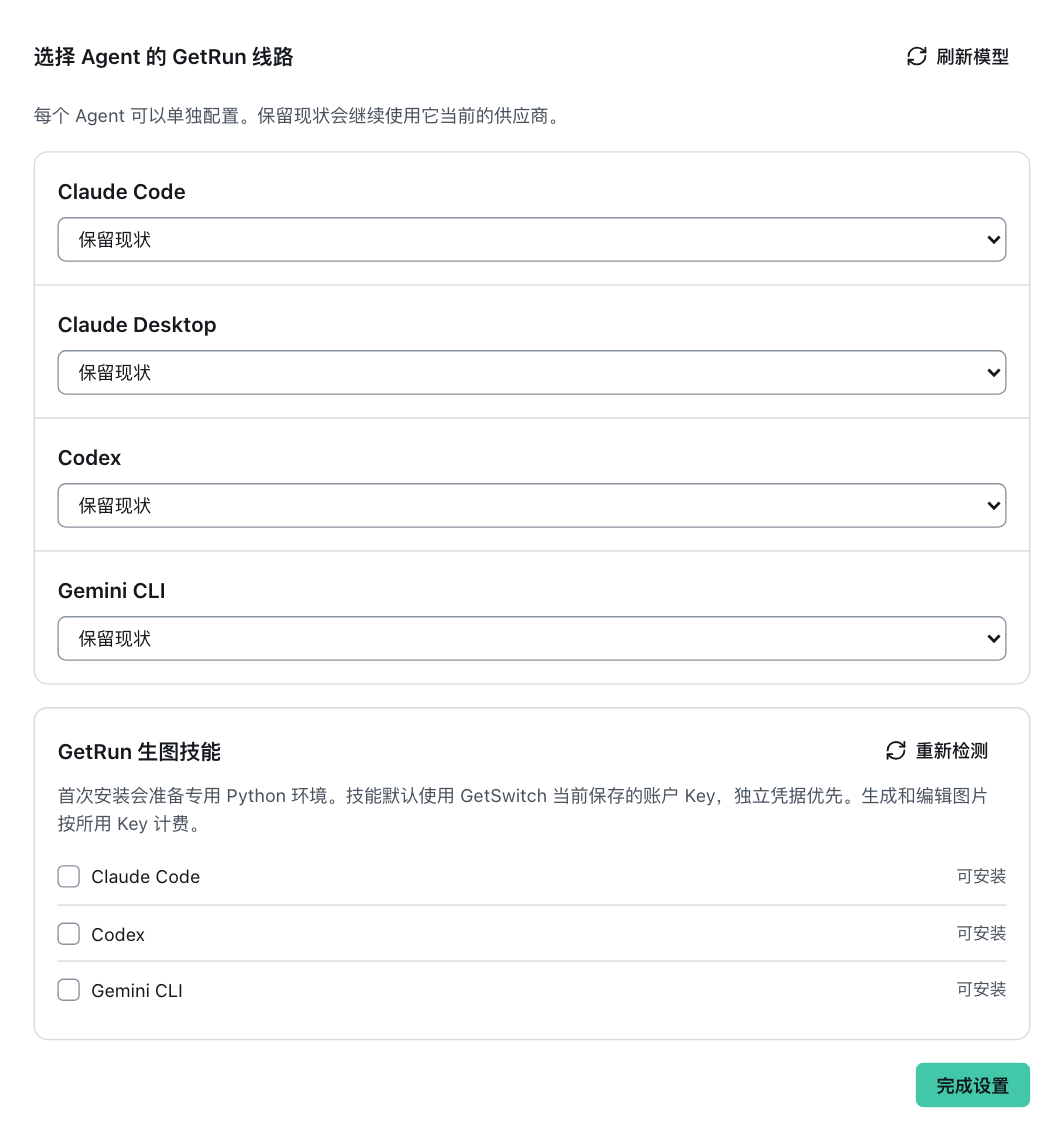
Pick a route and model for Claude Code, Claude Desktop, Codex and Gemini CLI separately. Direct, routed or aggregated, with your balance always in the sidebar.
 Claude Code
 Claude Desktop
 Codex
 Gemini CLI
Apple silicon
x64
No installer yet
After installing, sign in with your Get-Run.AI account or enter your API key to verify. GetSwitch and cc-switch write the same CLI config files, so use only one of them on the same computer.
Pick the app and installer for your device.
Both apps share one Get-Run.AI account and balance.
Describe a task in Get-Run Harness, or pick a route in GetSwitch and get back to your tools.